How to create a brilliant branching scenario
5 minute read

Are you ready to start using branching scenarios in your elearning experiences? In this article, we share training examples and practical advice to bring your scenario-based learning to life.
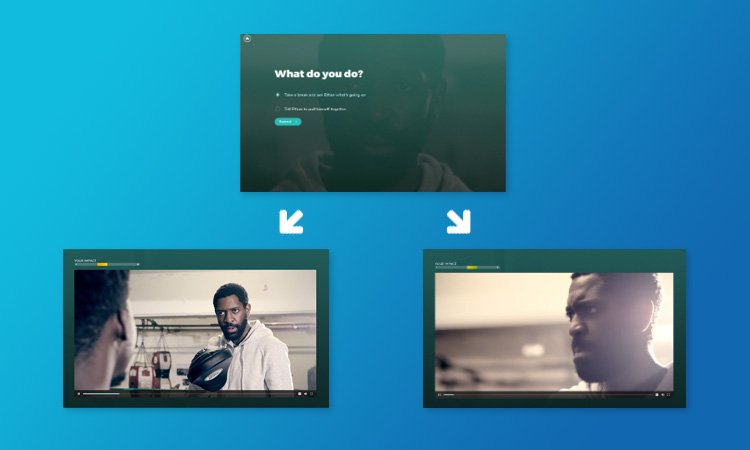
Branching means designing different routes through your content, depending on actions made by the user. A branching scenario is a way of placing your learner into the role of a decision-maker, allowing them to make their own choices and see the outcomes play out. It can be a safe space for them to try out different approaches and see the consequences of their actions, preparing them for similar situations in the real world.
We’ve previously explored different examples of branching in elearning, and in this article, we offer some practical advice on how to create an effective branching scenario.
7 ideas that can help you create simple branching scenarios in your online training.
1. Start with a plan
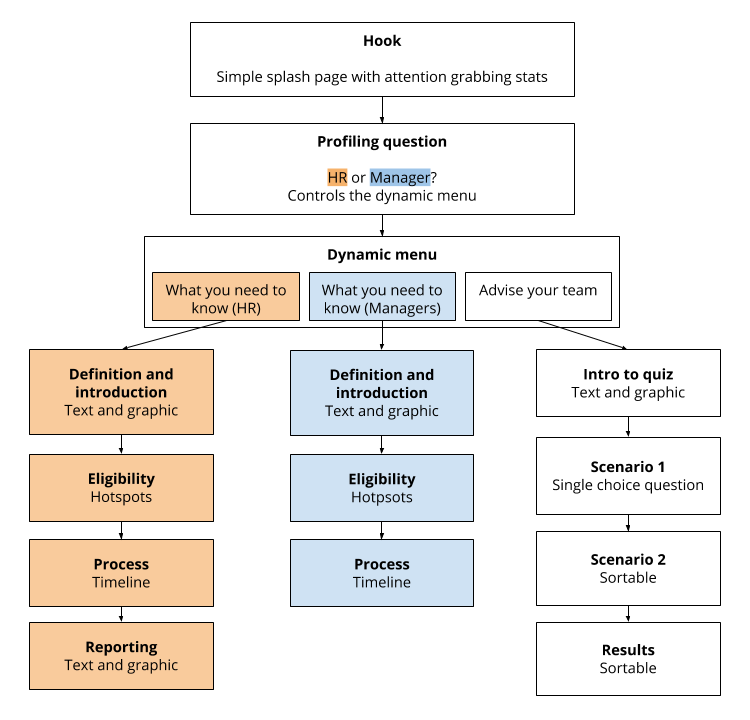
The nature of branching experiences is that your learners will take different routes through your content, so it’s important to invest time upfront mapping out the flow of your learning. Working on paper or using a wireframing tool to rough out ideas will help you make decisions about where to branch and ensure there are no outcomes left uncovered.
Here’s an example of a structure diagram we created for a showcase project on Shared Parental Leave, which features personalized learner pathways branching from a dynamic menu:
Practical tips for Elucidat users
You can use Elucidat’s project structure view to check your interactive structure as you build it. This gives you a quick way to see how everything is linked together and sense check whether your project matches up with your original structure diagram.
2. Put your learners in control
A great way to engage learners is to let them steer the experience and choose their own starting point. Consider providing a series of scenarios so they can choose which one they want to opt for, or giving them an option to brush up on their knowledge before diving in. This has an added bonus of appealing to a wide range of learners at once.
Here’s an example of an interactive sales scenario, where sales team members have an upfront choice about whether to start the simulation immediately or recap on the basics first:

Practical tips for Elucidat users
Use Elucidat’s range of different menu interactions to give your learners a choice of which route to go down.
Think about whether this choice will replace the global navigation, and take a look at our Masterclass on when to hide and show the navigation.
3. Tailor your scenarios to the individual
If you want to create scenarios or elearning content that are as relevant as possible to your learners, then consider introducing personalized learning pathways based on role or experience level.
This example about Shared Parental Leave leads with a role selector question to find out the user’s area of work and then serves up different topics on the menu as a result.
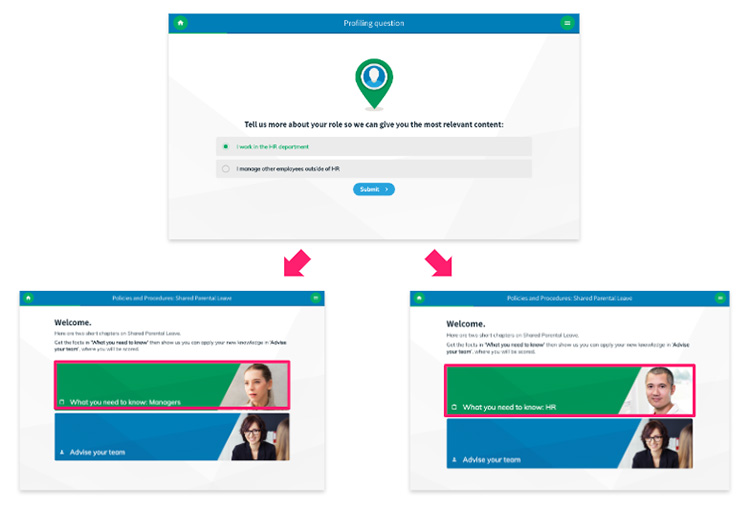
The benefit of this approach is that learners only see the content most relevant to them, making better use of their time and increasing training engagement by only interacting with the content that directly apply to them. It’s a smart way to create scenarios that reflect real-world roles and responsibilities – people-centered elearning innovation in action!
Practical tips for Elucidat users
Use Elucidat’s Rules feature to determine which pages or scenario topics show based on how a learner answers an upfront question.

Get the guide
How to design engaging elearning courses
Access now4. Immerse your learners with branching video
Storytelling has the power to engage, motivate, and trigger changes in behavior and improvements in performance. Make your scenarios feel real and give them emotional resonance by building them into a believable story. An effective way to achieve this is by using video or animation to drive your narrative.
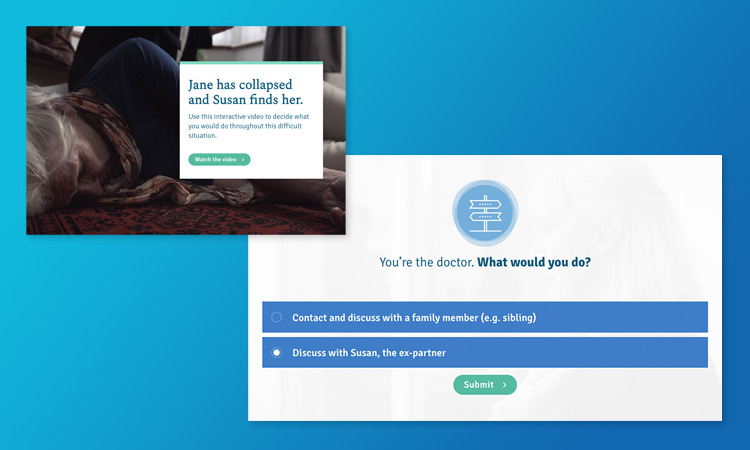
In this example from The Open University, high quality video is combined with believable characters and dialogue to immerse the user in an emotionally-charged experience. The story is paused at various points to invite learners to decide what they would do next, making it an interactive two-way experience.
Practical tips for Elucidat users
Use Elucidat’s different video interactions, like branching video to combine decision points with video and make the user journey feel as seamless as possible.
5. Make it challenging
We’re all aware that the challenges we face in real life don’t always have a clear-cut right/wrong solution, and branching scenarios are a great way to allow someone to explore grey areas and practice their skills in a safe environment.
This compliance interactive is an effective example of this, there is the opportunity for an ‘imperfect’, as well as correct and incorrect decision to be selected and played out. It’s a perfect example of the kind of nuanced situation that someone might come across in real life.
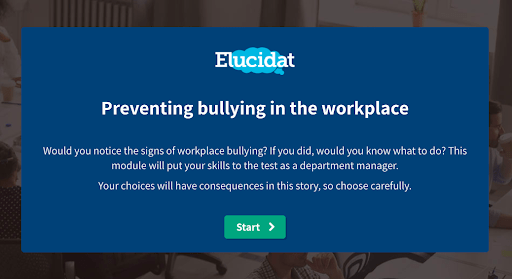
The branching example offers extensive training about unconscious bias in professional settings, including its effects on decision-making and relationships, along with approaches to reduce and handle these biases.
Practical tips for Elucidat users
Don’t make the “correct” choices too obvious. Scenarios are great for exploring sensitive situations and outcomes, so make them as realistic as possible.
Use Individual Feedback questions in Elucidat to deliver instant feedback that reflects and responds to the specific choice made by your learners.
6. Recognize good performance and highlight knowledge gaps
An important part of learning and improving is understanding the impact of your decisions. Make sure your learners know how they’re getting on by delivering valuable feedback as they move through a scenario.
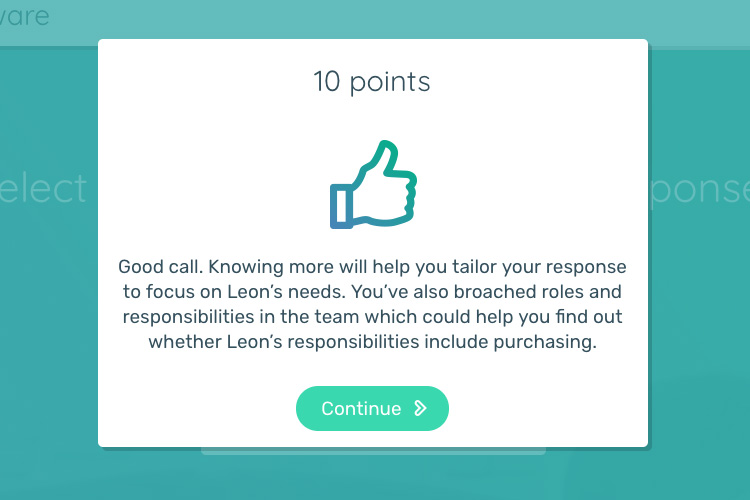
Features like scoring or badges can be introduced to highlight both positive performance and areas for improvement. These can be made to feel quite gamified, like the points-based rewards in this sales simulation demo, for example.
Practical tips for Elucidat users
Find out more about recognizing achievements in our Masterclass on using rewards to incentivize learners.
7. Highlight other outcomes
The beauty of a branched scenario is that someone reaches an outcome that’s specific to their choices and the path they took through the experience. However, it’s worth considering whether they might be missing out on valuable learning points through the choices they make.
A final summary page can be a great place to recap the scenario, show other outcomes or perspectives, and weave in some expert commentary to embed your key learning points.
Explore this branching scenario:

This branching scenario gives learners immediate feedback on each safety precaution, building competence and minimizing the likelihood of mistakes in the working environment.
Practical tips for Elucidat users
Use Elucidat’s Clips feature to play back the choices made by your learners and compare them against other outcomes or an expert viewpoint.
Consider adding a link button to enable users to start the experience again, so they can work through it in a different way and learn by exploring.
Summary
Branching scenarios are a powerful form of scenario based training. They let learners safely practice decision-making in realistic contexts. When done well, these elearning techniques help develop skills, improve behavior, and drive real-world performance outcomes. If you want to dig deeper into the methodology behind this approach, explore how scenario-based training works.
We can help you do it!
Feel inspired by these examples? Book a demo today to discuss how Elucidat can help you in creating transformative learning experiences.

Get started
Start creating engaging elearning with Elucidat
Book a personalized demo to get started with your 14-day free trial.
Book a demo